
SaaS · Web & Mobile · 2026
Designing a Command Center for
Fleet Intelligence
RouteCast is a two-sided fleet management platform a real-time command center for logistics teams and a transparent tracking portal for their clients.


Project Overview
Problem:
My research into existing tools showed three main Pain Points:
38% of dispatcher time wasted on phone-tag with drivers for basic location updates
Fleet managers juggle 3–4 disconnected tools for every operational decision
Zero predictive intelligence delays discovered after the customer complains
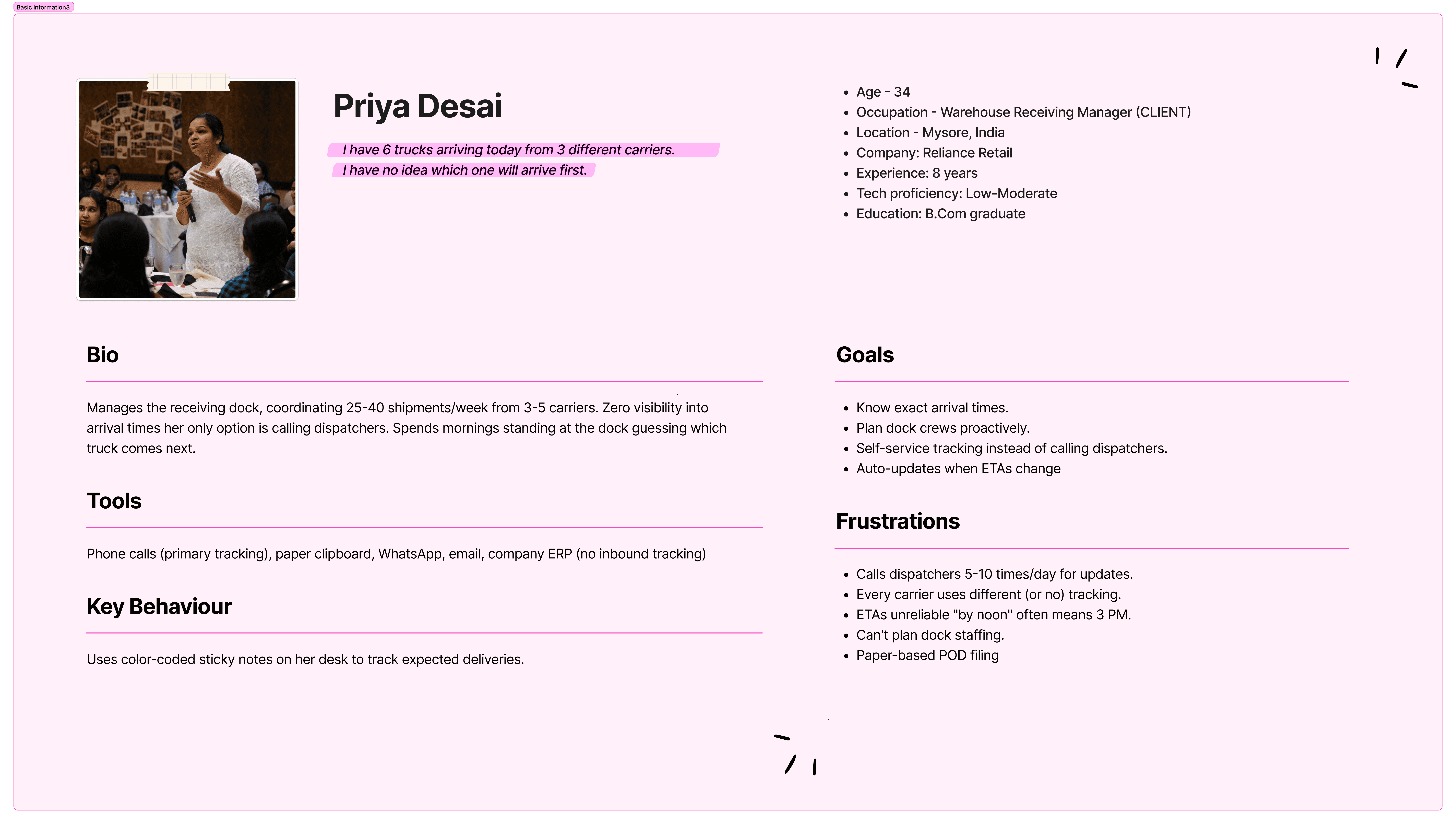
Clients have no self-service visibility into their shipments
Goal
Unified command center replacing 4 disconnected tools
Real-time map + table split-view for instant fleet visibility
Priority-ranked alerts with inline actions (no more alert fatigue)
Client tracking portal eliminating 80% of inbound status calls
My role:
Product Designer leading end-to-end UX/UI for RouteCast
Responsibilities:
Conducting competitive research & persona development
Information architecture & user flow mapping
Paper and digital wireframing
Iterating on designs through heuristic evaluation
Creating high-fidelity prototypes (internal + client-facing)

Outcome
Delay Response Time (Projected)
12x
Faster, from 12-18 min down to under 60 seconds
Client Call Reduction (Projected)
↓80%
Self-service portal eliminates "where's my shipment?" calls
Sprint Duration
5 wks
End-to-end design from research to hi-fi prototype
Research & Discovery
Understanding the Market Landscape
Since direct user access was outside this project's scope, I ran a multi-source secondary research study combining competitive tear downs, logistics industry reports, Reddit/forum analysis, and job listing research to build a grounded understanding of user behaviour across two distinct roles.
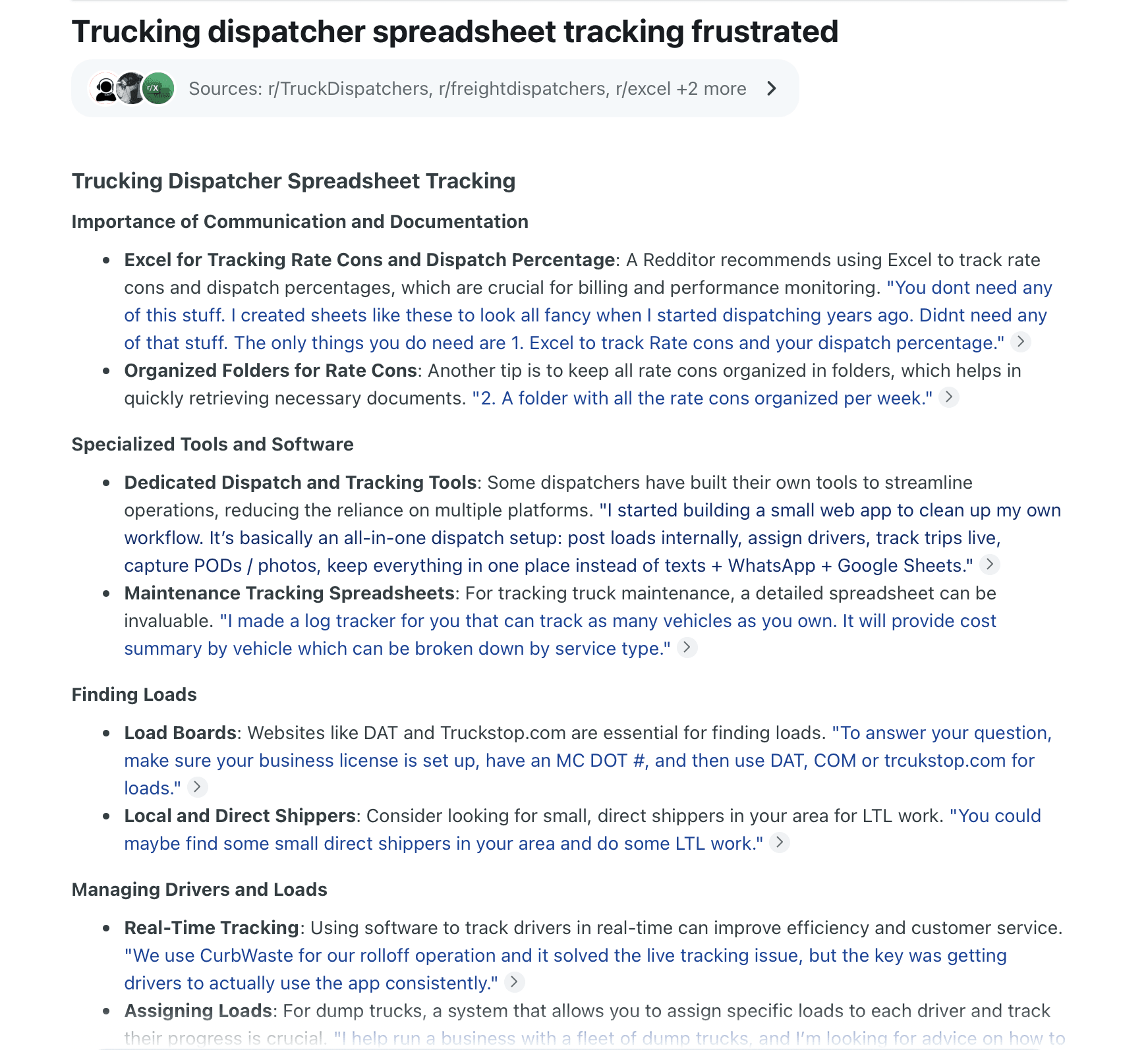
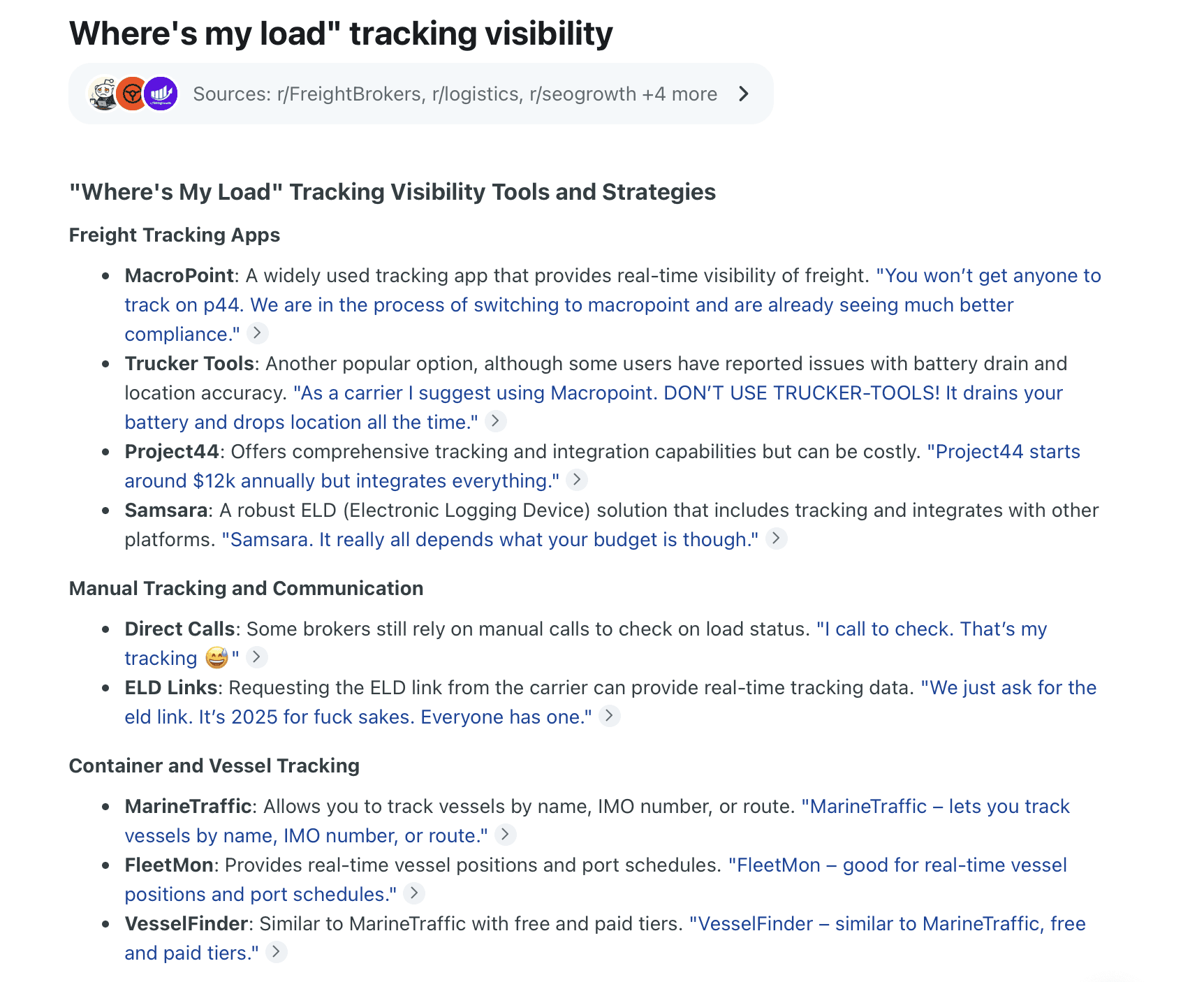
Additional Reddit Links used in research
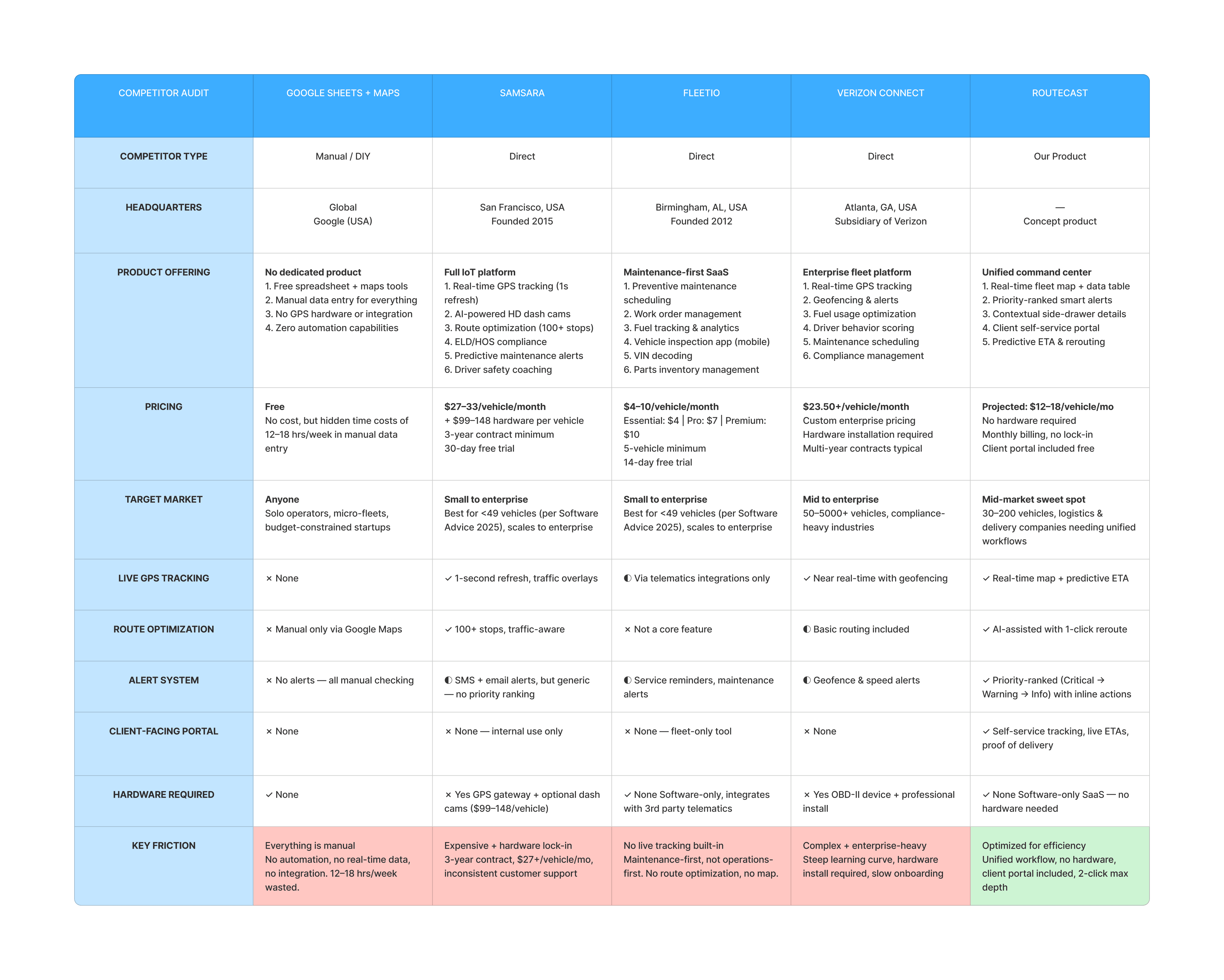
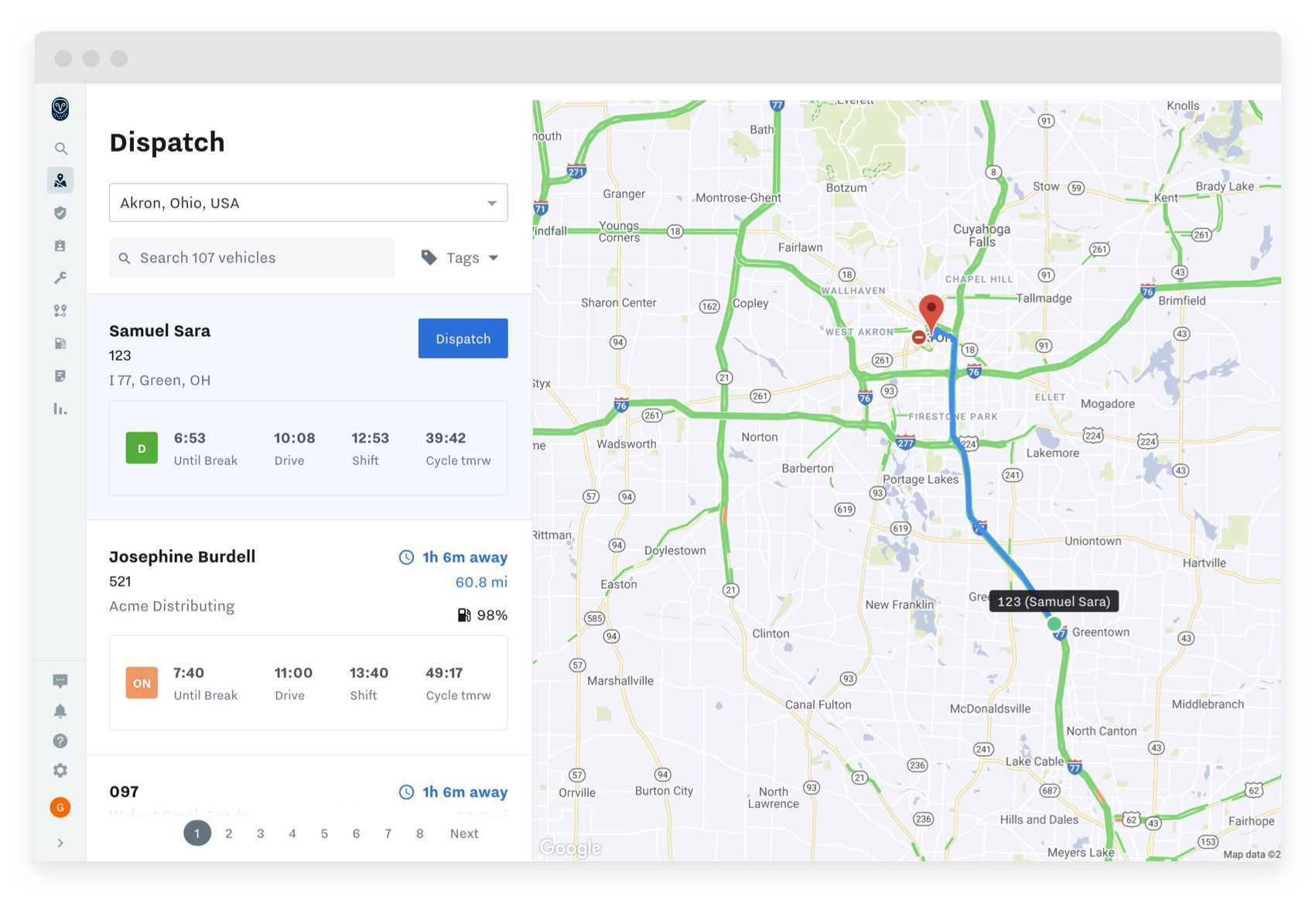
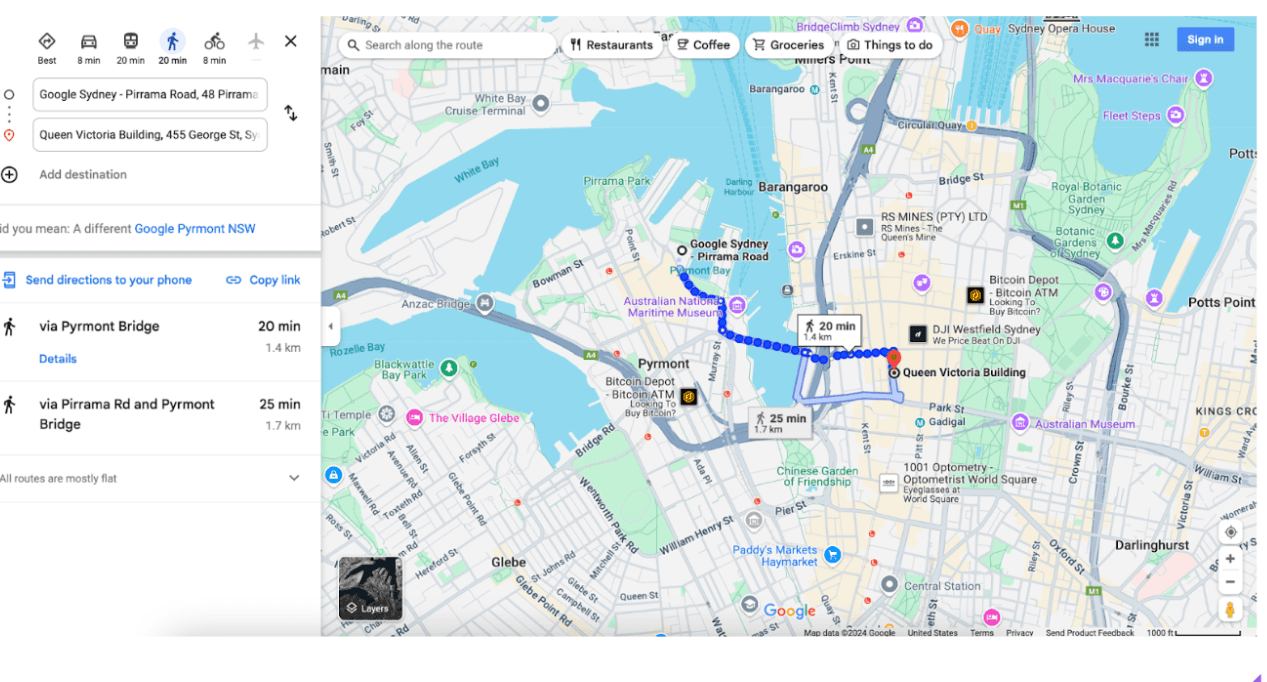
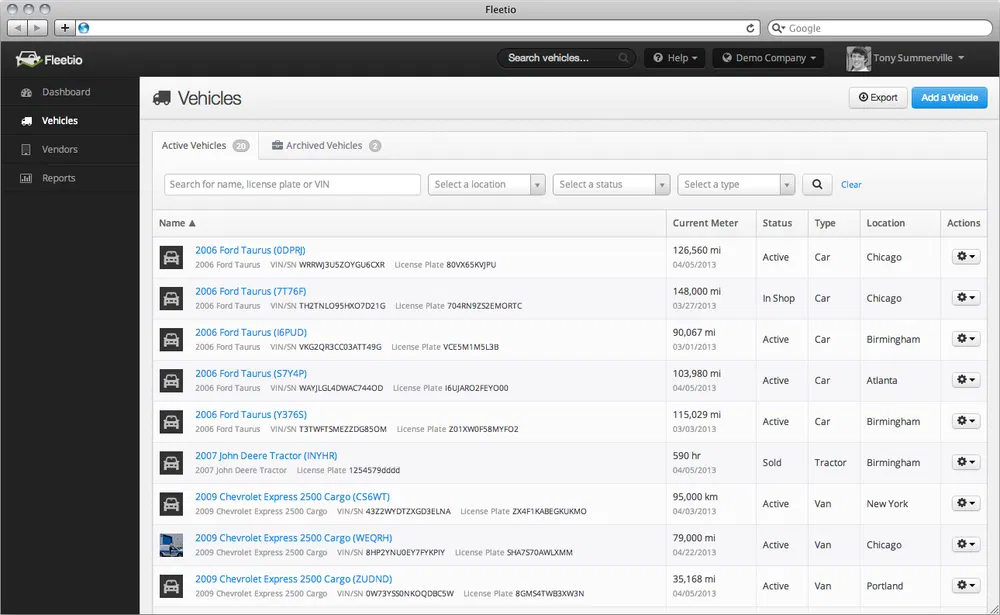
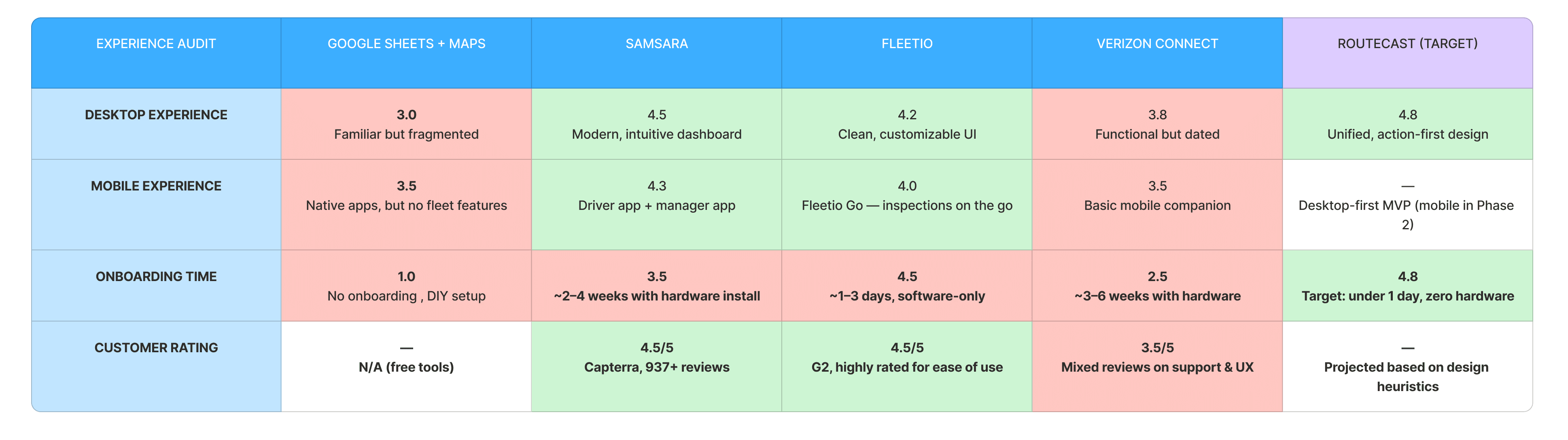
Platform Experience Ratings (Out of 5)
User Personas
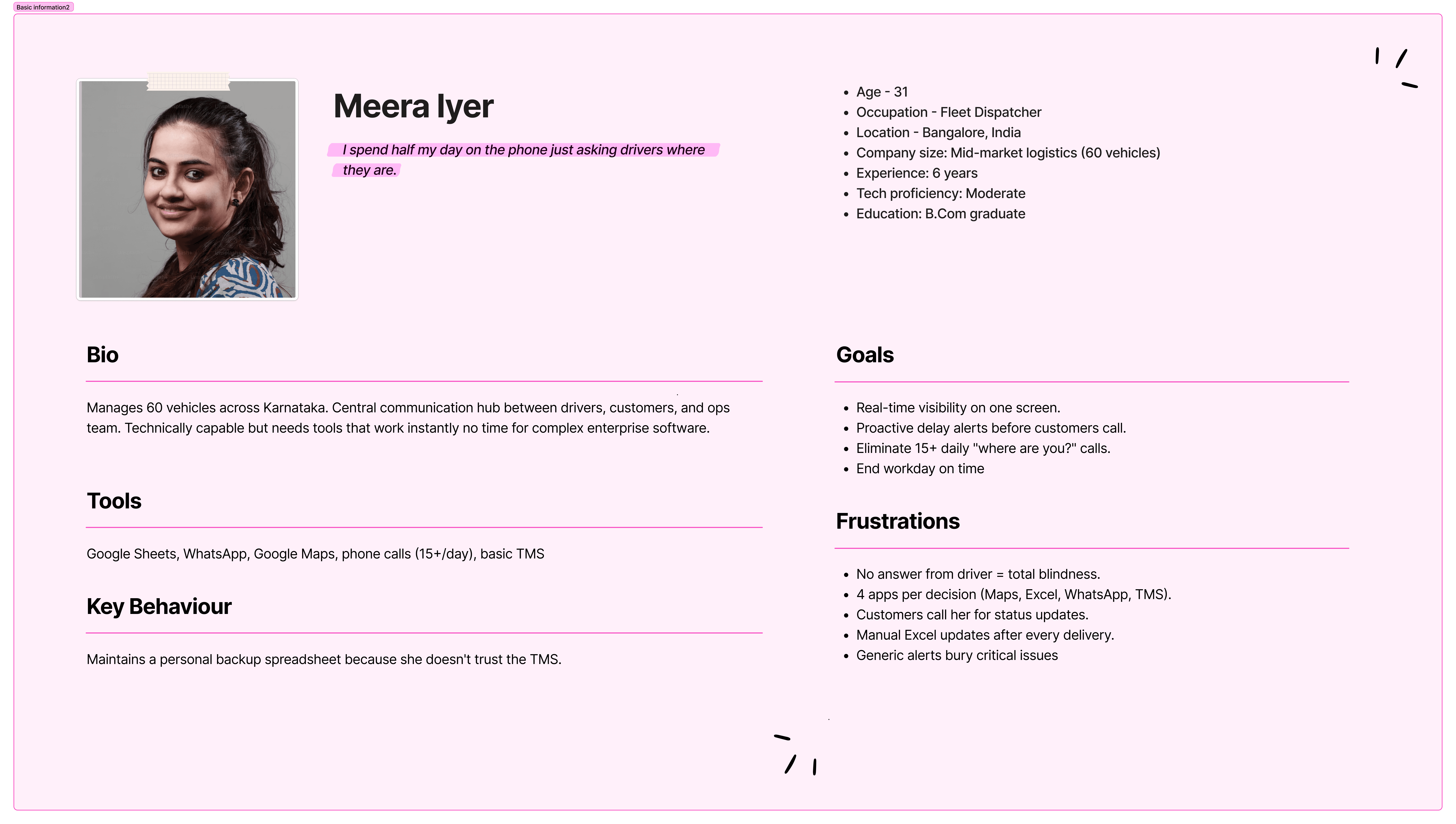
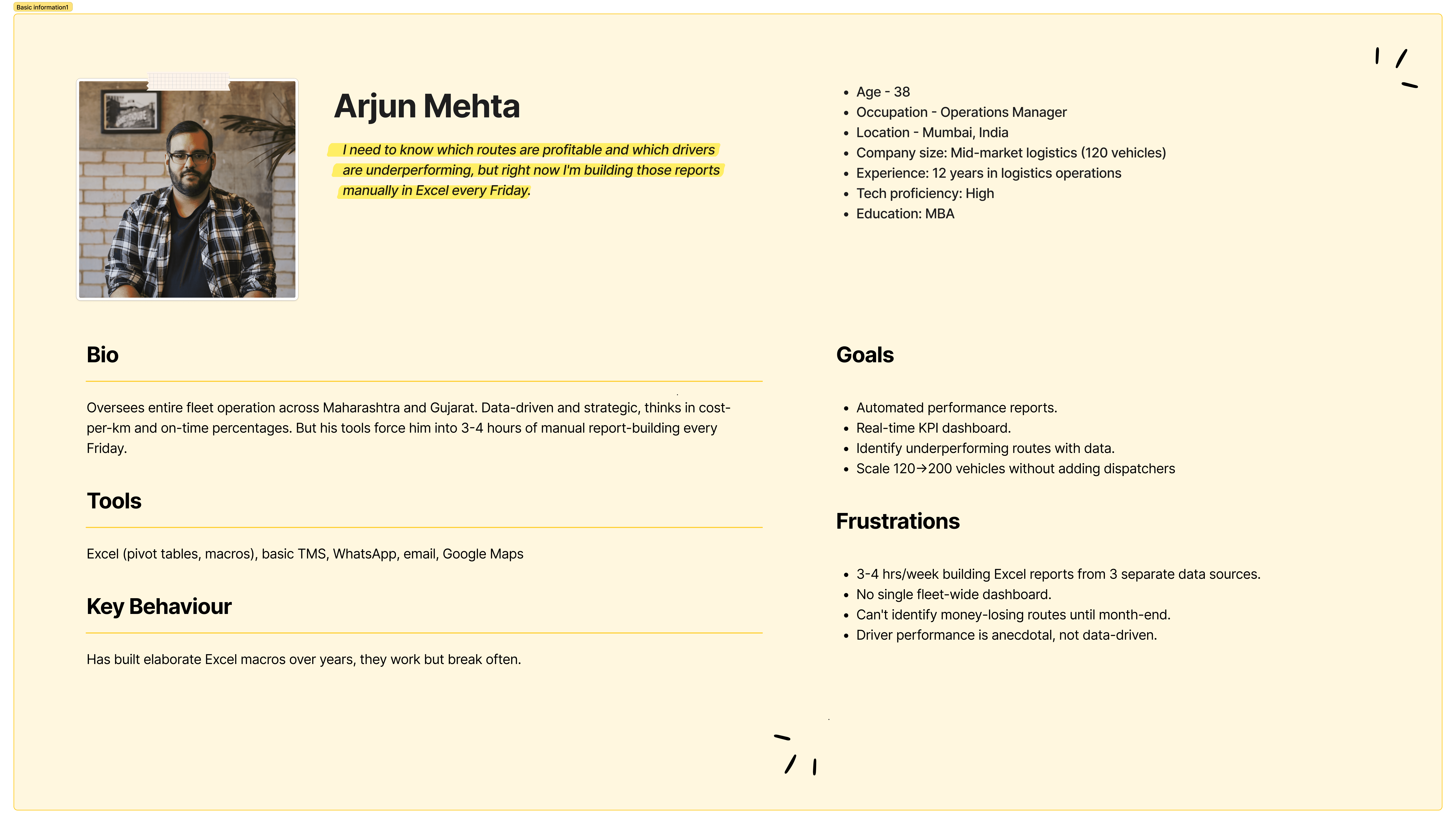
Personas were developed by synthesizing research findings and identifying the recurring pain points that block users from efficient fleet operations. Three distinct roles emerged , two internal, one external.
Pain Points
Dispatchers are blind between calls
No passive visibility. When a driver doesn't answer, shipment status is unknown for hours. Dispatchers make 15+ calls/day just to ask "where are you?"
Every decision requires 3–4 app switches
Google Maps for routing, Excel for scheduling, WhatsApp for communication, TMS for invoicing. Data silos. Context destroyed with every tab switch.
Reactive, never predictive
Current tools only report what already happened. Delays discovered after customer complains. Zero ETA forecasting, no proactive rerouting.
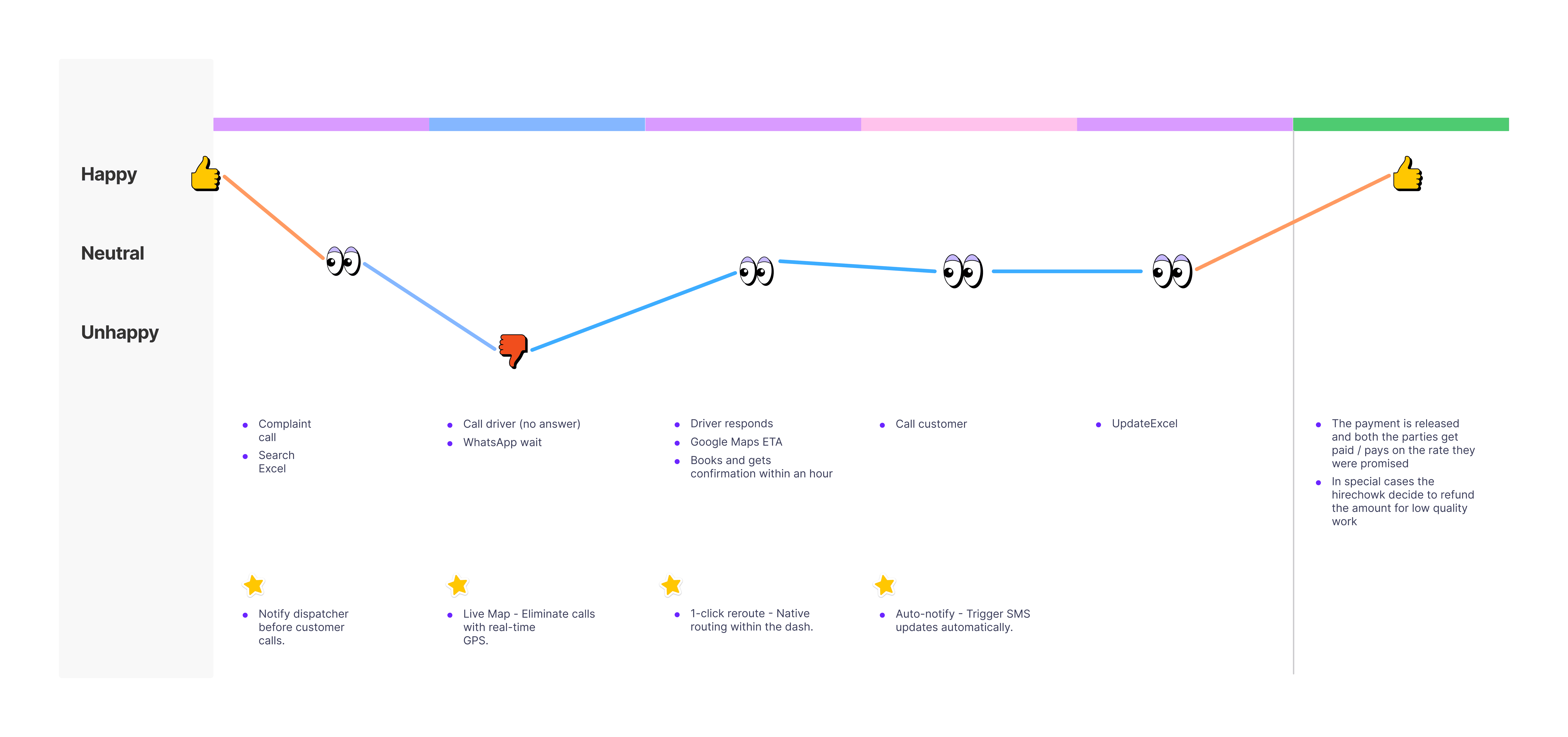
User Journey Map
Goal
Quickly identify delayed shipments, assess the situation, take corrective action, and update the customer without leaving the current view.
Starting the Design
I created diagrams and flow maps to clarify the product's IA, then sketched wireframes and built a low-fidelity prototype to validate core interaction patterns.
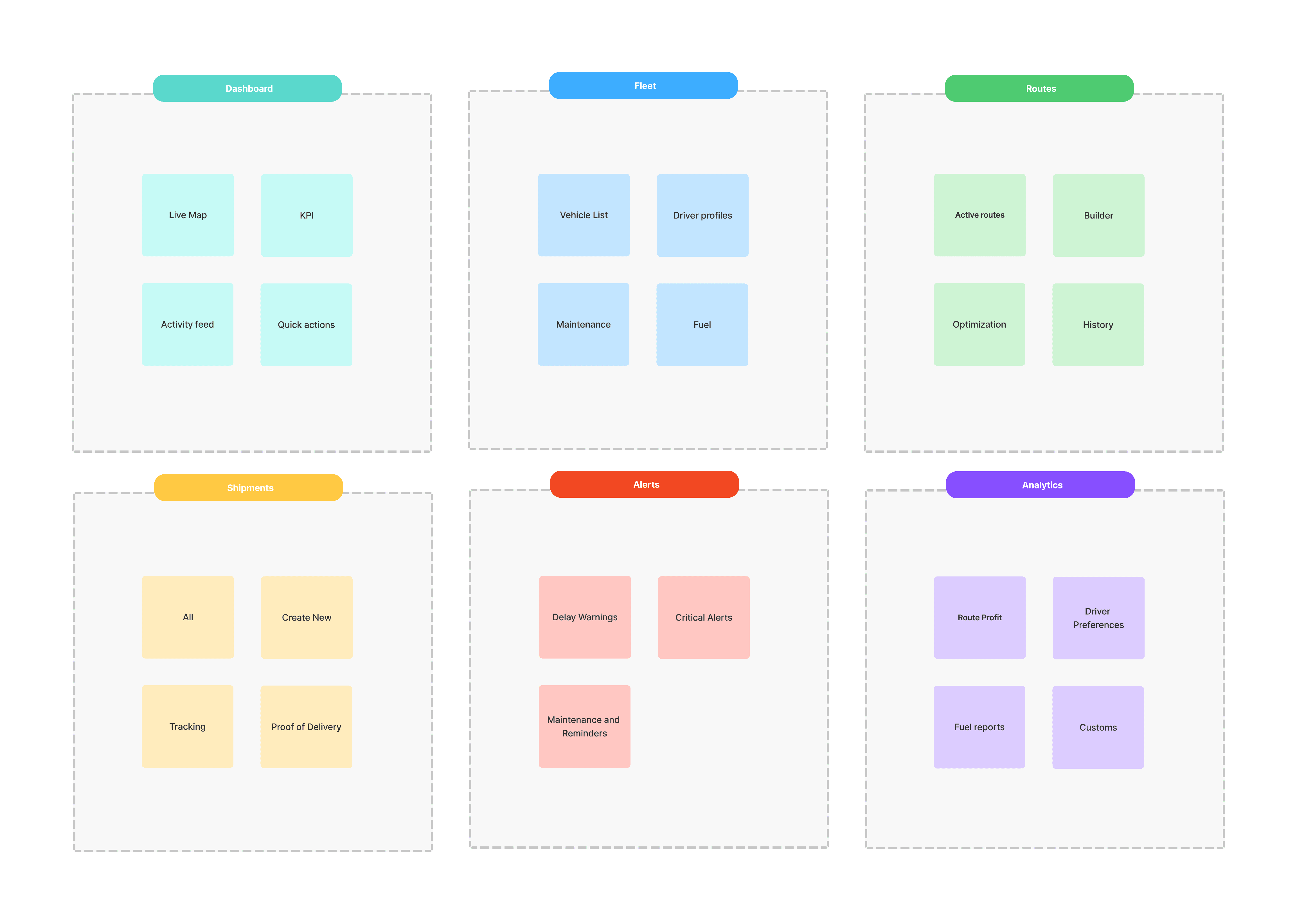
Card Sorting
Understanding how dispatchers naturally group features to align navigation with mental models.
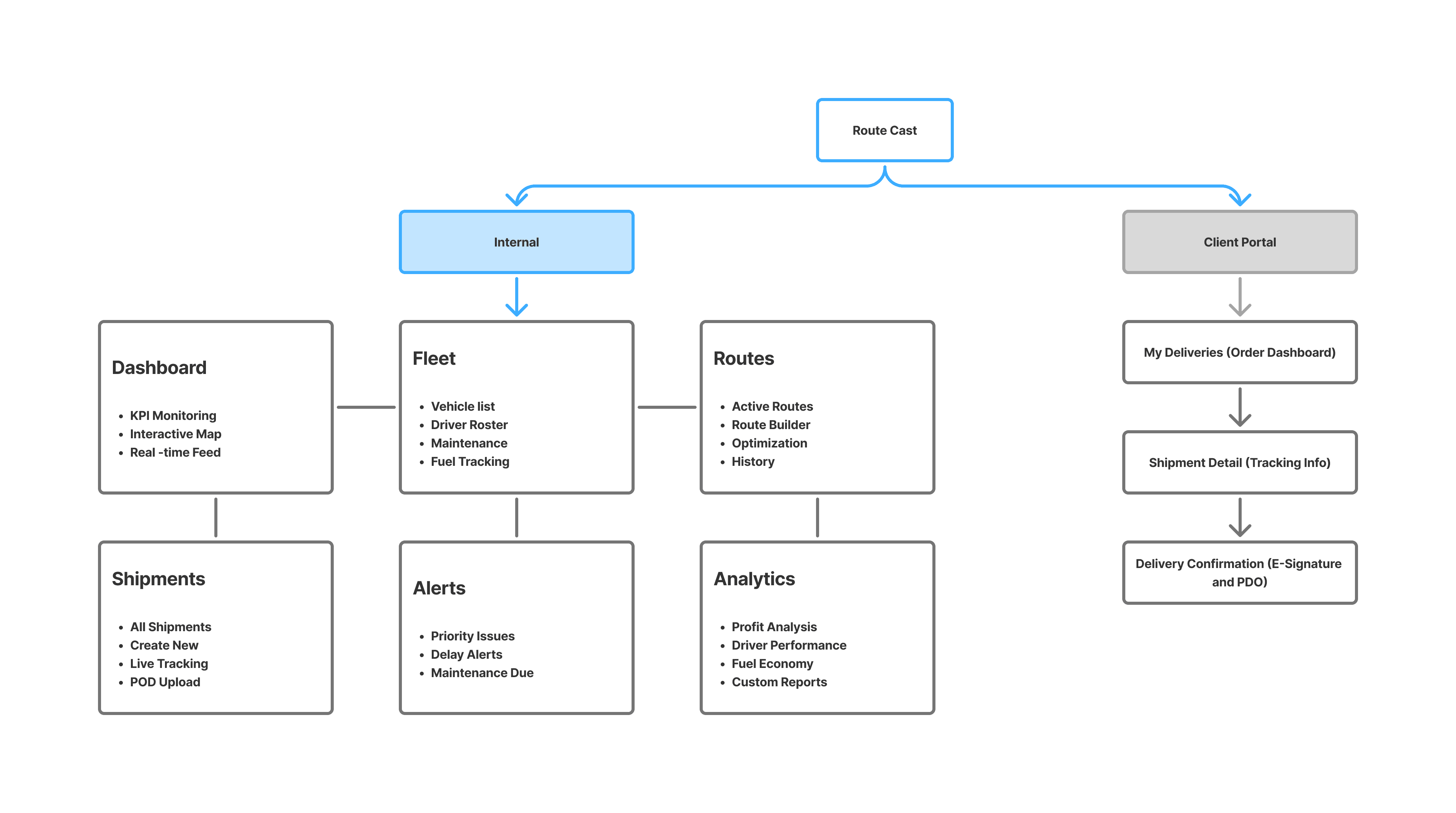
Information Architecture
Creating the application map. My goal here was to make strategic information architecture decisions that would improve structural flow of the feature.
Refining Design for Dashboard
High-fidelity mockups incorporating insights from competitive analysis and heuristic evaluation. Complete UX flows, layout, interaction patterns, typography, color system, and component library.
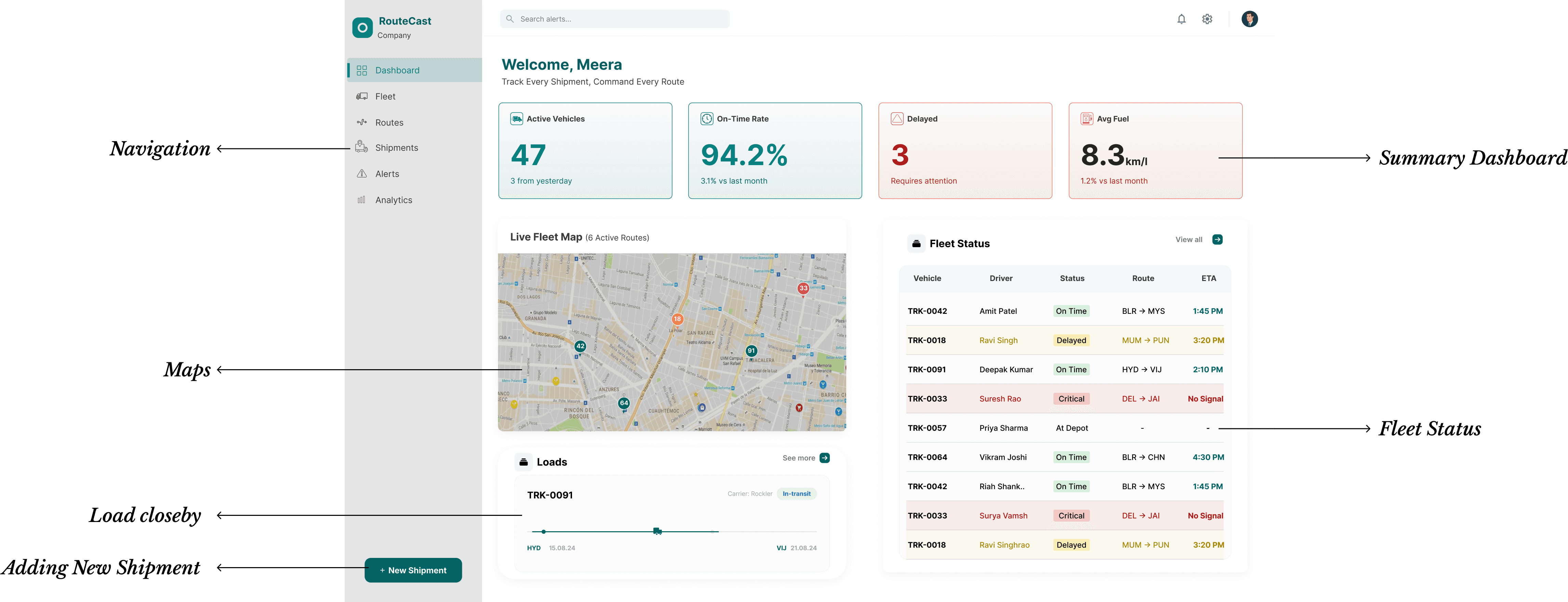
Mockups - Dashboard
The command center dispatchers see first. A split-view layout pairs a live fleet map with a real-time vehicle status table answering "where is it?" and "what's its status?" simultaneously without switching tabs. Four KPI cards across the top surface the numbers that matter: active vehicles, on-time rate, delayed count, and fuel efficiency.
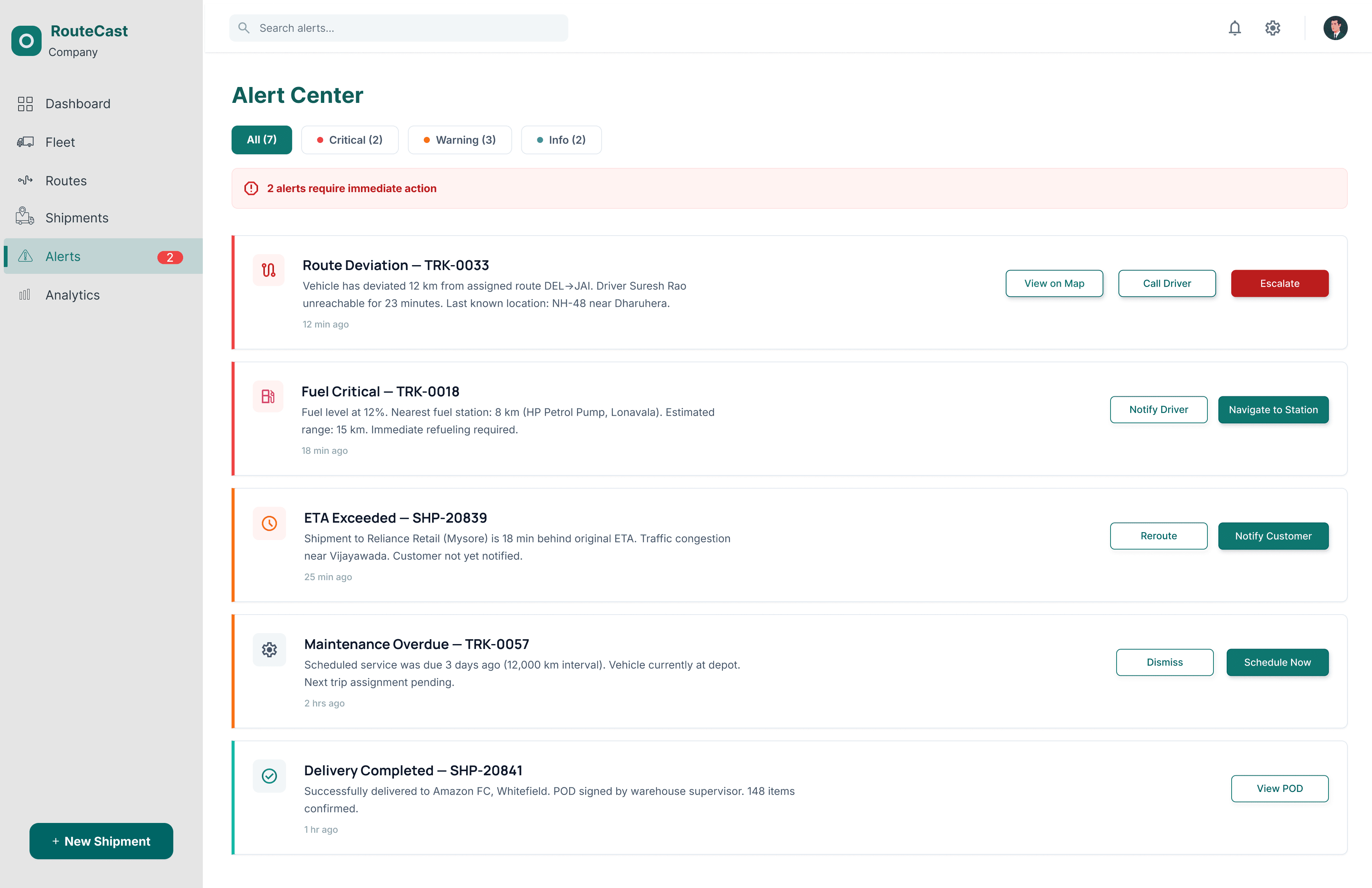
Alert Center
Priority-ranked notifications with inline actions not just a list of warnings. Critical alerts (route deviation, fuel critical) surface at the top with one-click actions like "Navigate to Station" or "Escalate." Warning alerts (ETA exceeded, maintenance overdue) follow with "Reroute" and "Notify Customer" buttons built into each card. No more alert fatigue from generic notifications.
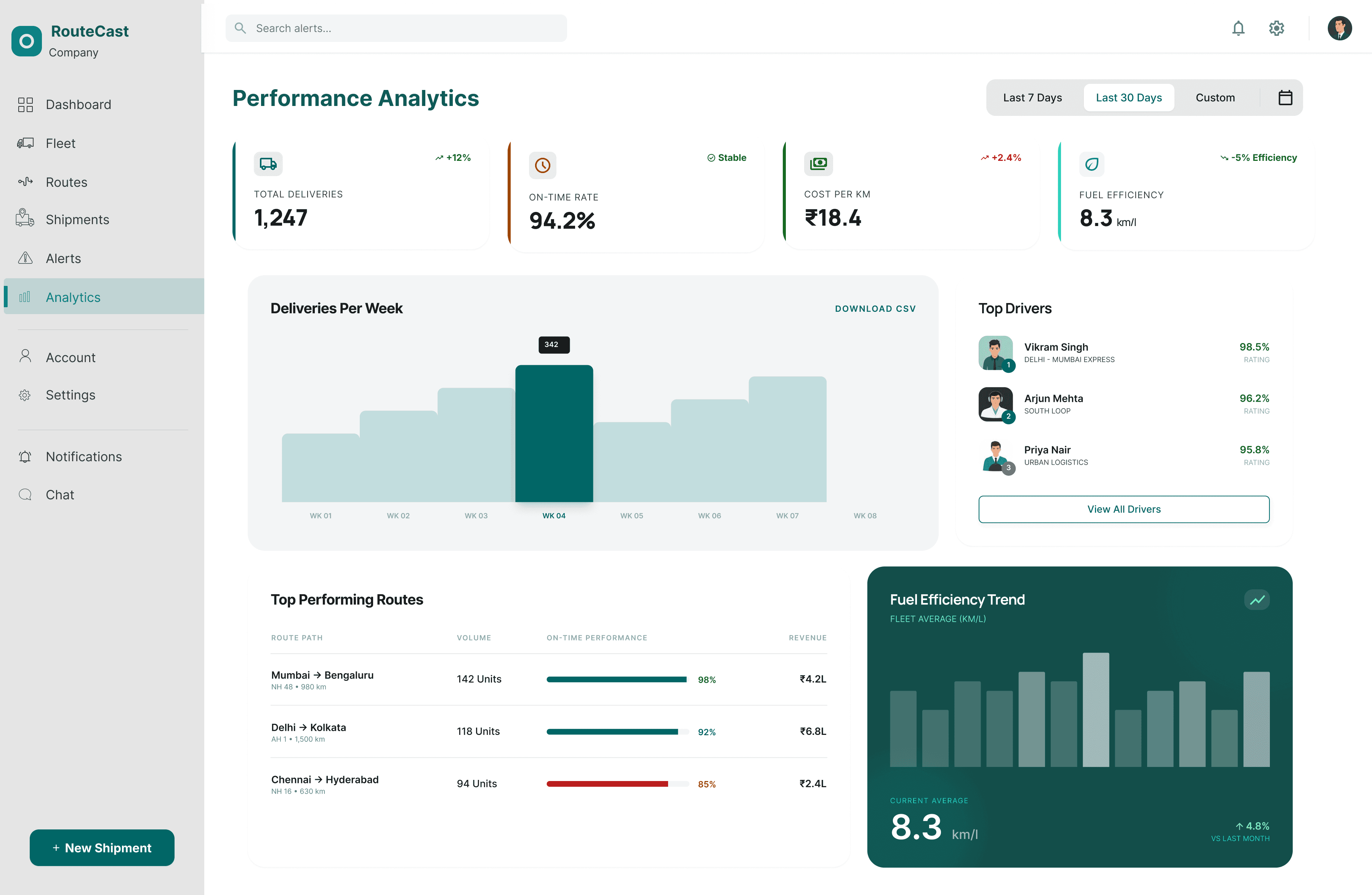
Analytics
Designed specifically for operations managers who currently spend 3-4 hours every Friday building Excel reports manually. Four KPI cards with trend indicators, a weekly delivery bar chart, top-performing routes ranked by on-time percentage, and a driver leaderboard all auto-generated from live fleet data. The dashboard Arjun needs so he never opens a pivot table again.
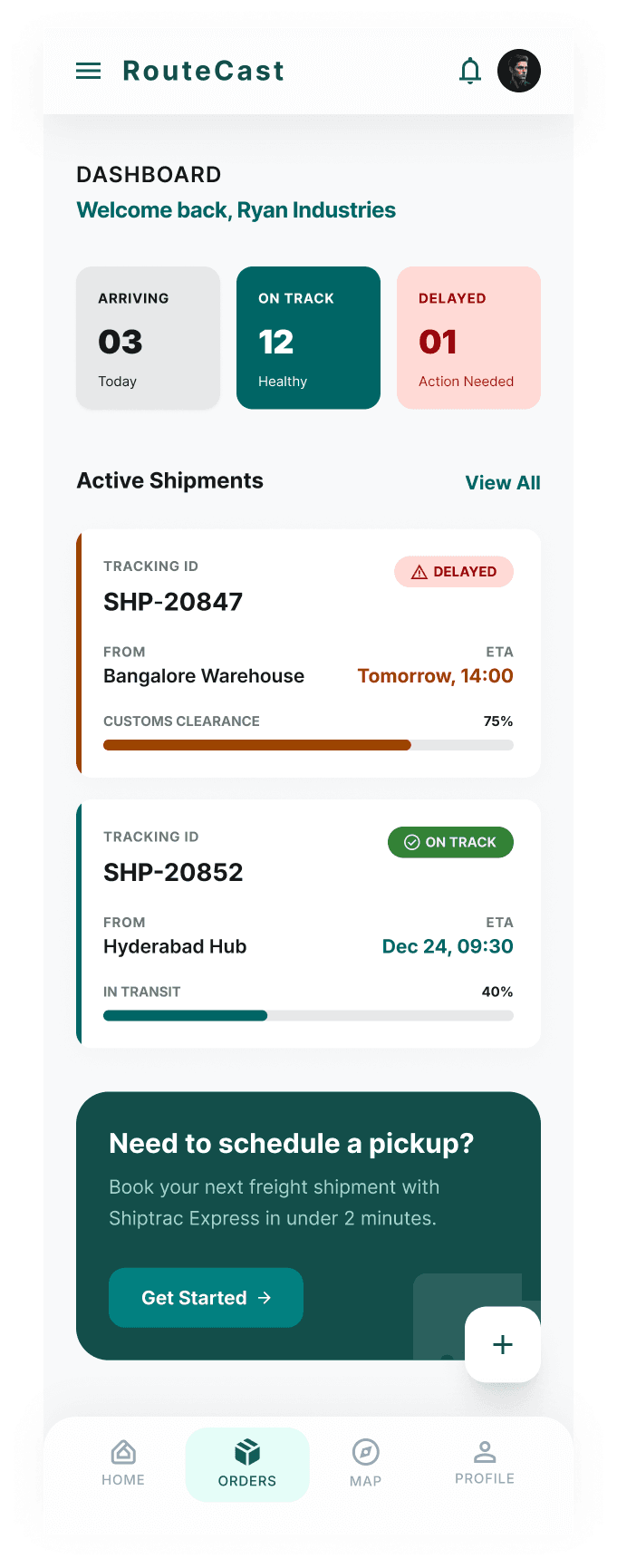
Refining Design for Client on mobile
Closing the Visibility Gap - giving the logistics company's customers full shipment transparency without exposing internal data. Goal: parity with consumer-grade tracking (Amazon-level) built for B2B warehouse ops.
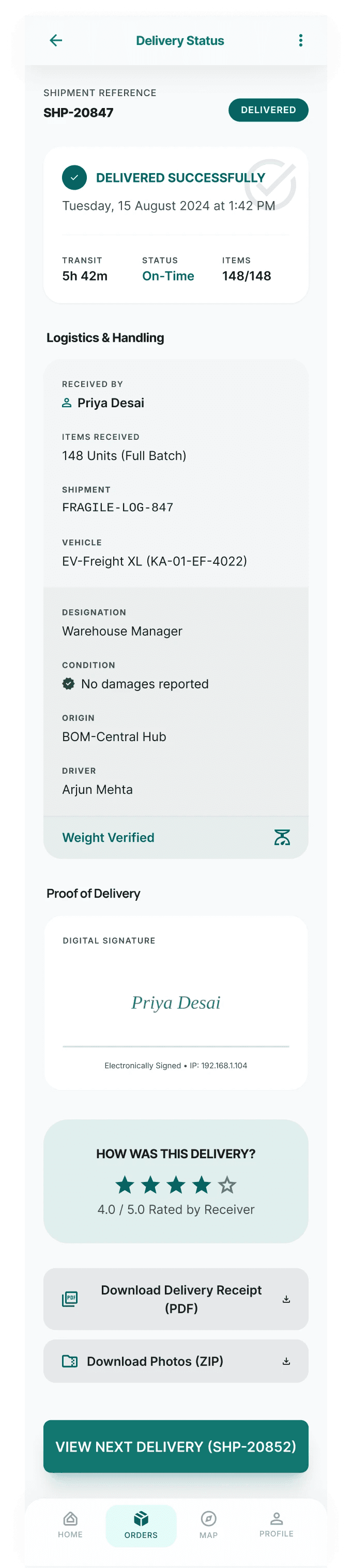
Stress-Testing the Design
Validated against Nielsen's 10 Usability Heuristics and benchmarked against the documented legacy workflow.
Visibility of Status
Every vehicle has a heartbeat
Color-coded badges on both map pins and table rows. No clicking needed to know fleet health.
Error Prevention
Confirmation before high-stakes actions
Route changes show impact: "This will change ETA from 14:30 to 15:10 and notify 2 customers."
Recognition over Recall
Context travels with the user
Side drawer = vehicle details always one click away. No memorizing IDs or switching screens.
Takeaways
Impact:
Unified platform collapses 12–18 min workflow to sub-60-second operation. Client portal proves eliminating information asymmetry benefits both sides dispatchers fewer interruptions, clients self-service transparency.
What I learned:
Two-sided products require persona-specific research. Studying dispatchers and clients separately was the only way to see the root cause of dispatcher overload could be solved by designing for the client.
Next Steps
Contextual interviews with real dispatchers
Sit next to a dispatcher for a full shift to validate every assumption.
WCAG 2.1 AA accessibility audit
Contrast on UI, icon shapes for colorblind, screen reader on data tables.
Driver tablet experience
Turn-by-turn nav, proof-of-delivery capture, real-time dispatch communication.
Unmoderated Maze testing
20+ participants through delay-response flow for time-on-task data.